Make Kadaza Your Homepage in Firefox
Follow the steps below to set Kadaza as your homepage in Firefox.






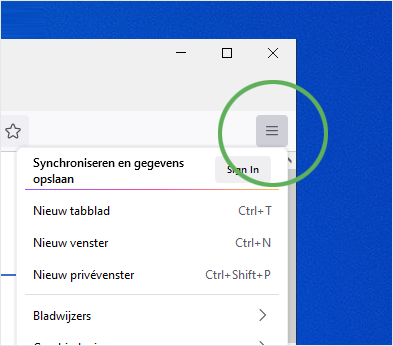
Step 1. Click on the Firefox menu icon  in the upper right corner and select Settings.
Step 2. Select Home and under New Windows and Tabs, Select Custom URLs.
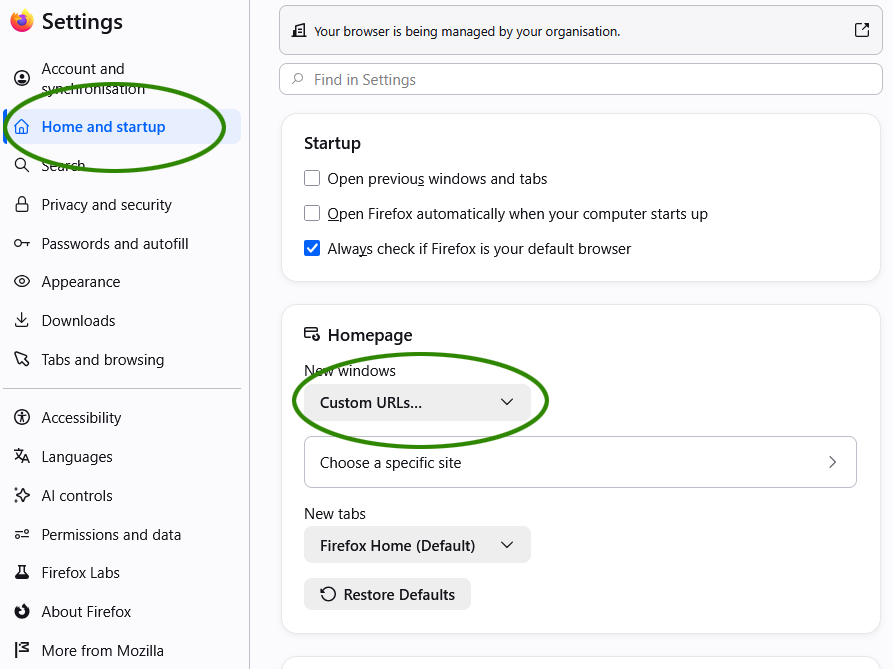
Step 3. Enter www.kadaza.scot the the textfield and press Enter.
Quick setup: Install the Kadaza Firefox extension to set up Kadaza in just a few clicks.
 Add Kadaza to Firefox
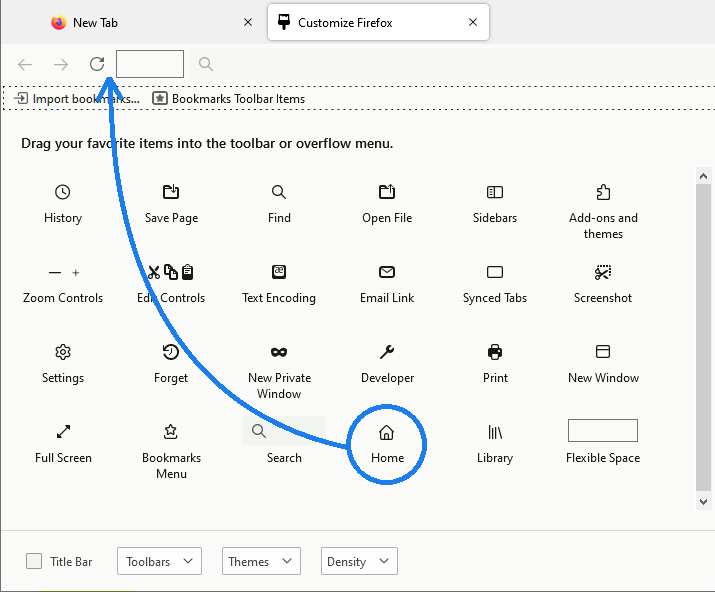
Can't you find the home button in Firefox?
1. Click on the Firefox menu icon in the upper right corner and select More tools.
2. Go to Customize toolbar.... Find the Home button and drag it to your Firefox toolbar.